Automatic File Organization · macOS 14+

Your Mac, finally organized.

Globb sorts every new file the moment it lands — by extension, by project, by rule. Set it once. Never tidy up again.

Native for macOS 14+ 100% local & private $31 one-time, no subscription
macOS 14+
One-time purchase
Local & private
2-min setup

Why Globb

Never say "where did I save that?" again

File chaos doesn't just waste time. It fragments your focus, drains energy, and quietly costs you every single day.

Files everywhere

Screenshots scattered, downloads buried, project assets mixed with personal files. Finding anything means interrupting the work that actually matters.

Mental overhead

"Where should this go?" — a small question you ask dozens of times a day. That decision fatigue accumulates. Globb eliminates it entirely.

Chaos always returns

You spend an afternoon organizing. Three days later, it's chaos again. Globb keeps things tidy automatically — not just once, but always.

Features

Everything you need to stay tidy

01 · Set Up

Start here. Build your projects and rules.

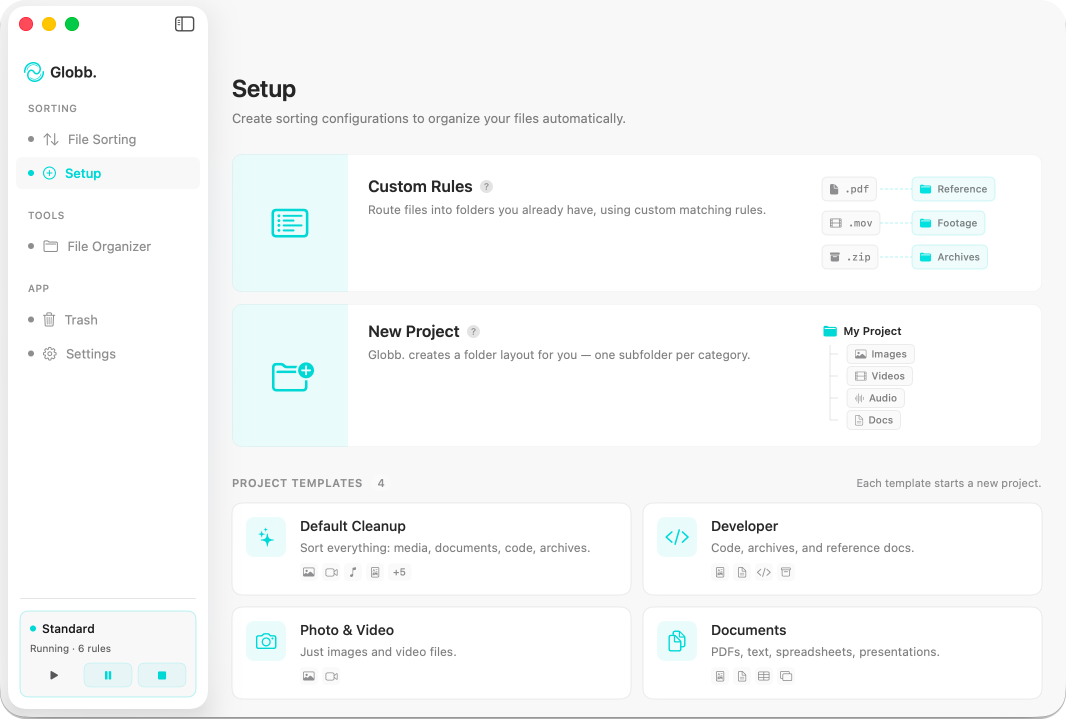
Set Up is your starting point. Create the projects you work across and define the rules that route your files — all in one clean view. Once it's configured, Globb takes over and everything else just happens.

Try it free

Features

Everything you need to stay tidy

Set Up — Globb on macOS
01 · Set Up

Start here. Build your projects and rules.

Set Up is your starting point. Create the projects you work across and define the rules that route your files — all in one clean view. Once it's configured, Globb takes over and everything else just happens.

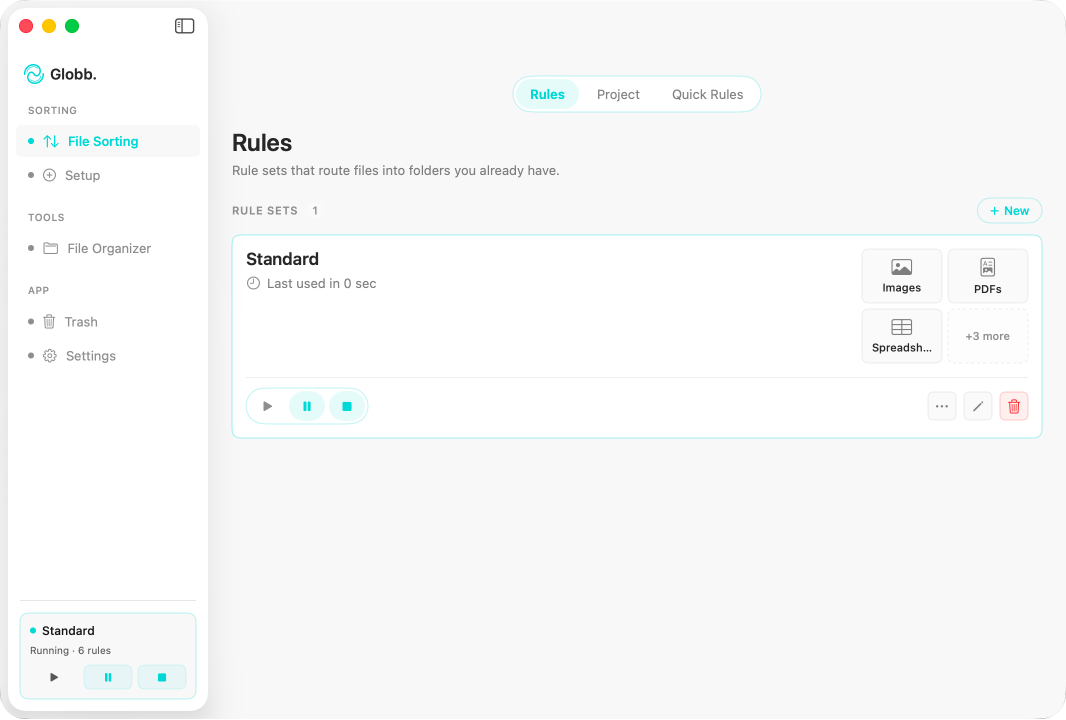
Rule Sorting — Globb on macOS
02 · Rules

Set rules once. Files sort themselves.

Create simple rules like "PDFs → Documents" or "Screenshots → Desktop/Visuals." Set them once and forget. Every new file gets routed to exactly the right place from that moment forward — no thinking required.

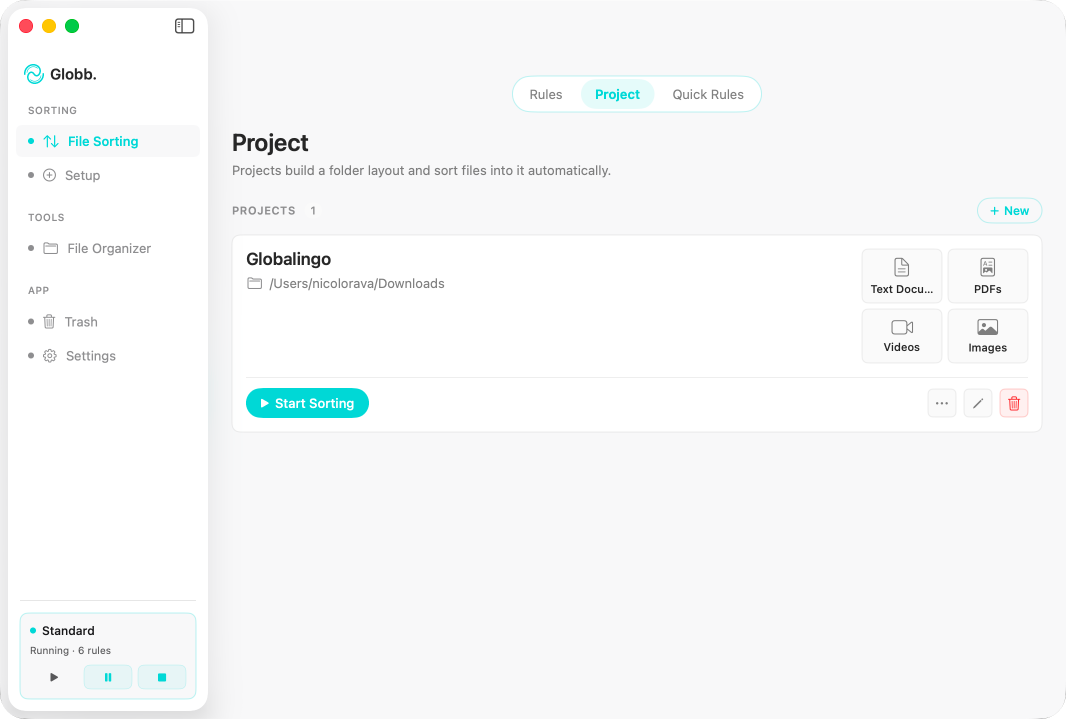
Projects — Globb on macOS
03 · Projects

Real folders on disk. Mapped to your file types.

Each project scaffolds an actual folder structure on your Mac and binds every folder to specific file types or sources. The organization lives on your filesystem — not just inside Globb — so when you switch project, your entire workspace switches with you.

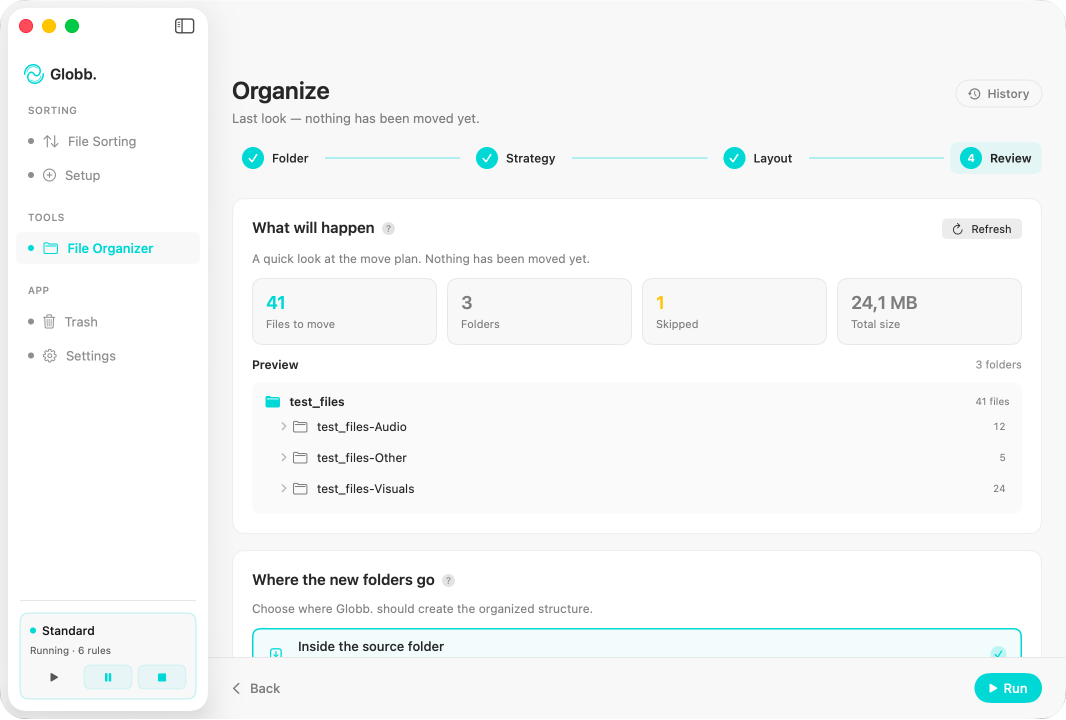
File Organizer — Globb on macOS
04 · File Organizer

Clean up years of chaos in minutes.

Point Globb at any messy folder — your neglected Downloads, a chaotic Desktop, an old project folder. One click transforms the chaos into a clean, logical structure.

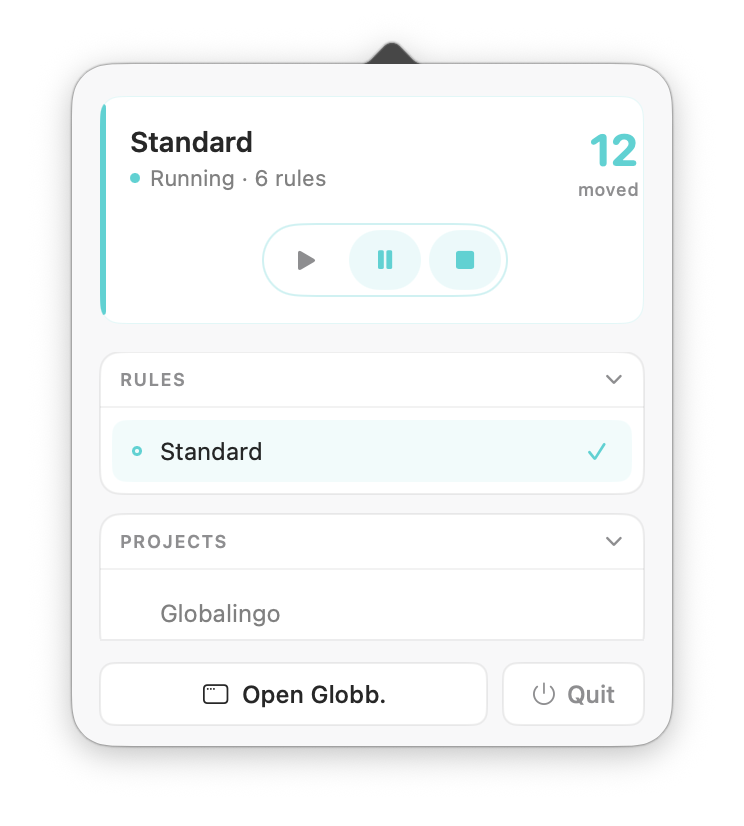
Menu Bar — Globb on macOS
05 · Menu Bar

Always ready. Never in the way.

Globb lives quietly in your menu bar. Switch projects, pause sorting, or check activity with a single click — without ever opening a window. Silent, invisible, always working.

Privacy

Globb has no servers.

No accounts. No sync. No telemetry. Your files never leave your Mac — that's not a setting, it's the architecture.

Privacy ledger
Verified · macOS Sandbox
  • macOS sandbox Enforced
  • Network activity Zero requests
  • Cloud sync & uploads None
  • Folder access You grant. You revoke.
Audit anytime in macOS Activity Monitor — Globb's network column will read zero.

Pricing

Pay once. Stay organized.

Less than one billable hour. Updates included. No subscription.

Globb
One-time purchase
31

USD · paid once

  • Full app, all features
  • Free updates included
  • Mac App Store delivery
  • Family Sharing supported
  • No subscription
macOS 14+ · Apple Silicon & Intel · Apple-billed

FAQ

Common questions

Will my files be safe? Does Globb modify or delete anything?

Absolutely. Globb only moves files — it never edits, modifies, or deletes anything. Your files stay identical, just better organized. If you stop using Globb at any point, all your organized files stay exactly where they are.

How long does it take to set up and see results?

Under 2 minutes. Download, grant folder access, and start organizing immediately. The Bulk Organizer transforms messy folders right away. Set your sorting rules once, and every new file routes itself automatically from that point forward.

Why pay for something I can do manually?

Manual sorting creates an exhausting cycle: organize for an afternoon, watch chaos return within days, repeat. Every disorganized folder burns mental energy and fragments your focus. Globb breaks the cycle permanently — one setup replaces endless repetitive work. $31 once vs. hours lost every single month.

What are the system requirements?

macOS 14 Sonoma or later. Works on both Apple Silicon (M1, M2, M3, M4) and Intel Macs.